On this page (20)
- Why Direct Store Integration Matters
- Generic chatbots guess. Connected chatbots know.
- It turns support conversations into sales opportunities
- It reduces the "let me check and get back to you" problem
- What KonnectBot Shopify & WooCommerce Integration Enables
- Real-Time Order Status
- Live Product and Inventory Answers
- In-Chat Purchases That Sync With Your Store
- Automation Flows Built Around Real Store Events
- Multilingual, Store-Aware Support
- Setting Up KonnectBot With Shopify
- Setting Up KonnectBot With WooCommerce
- Common Use Cases for Shopify & WooCommerce Store Owners
- Reducing "Where Is My Order" Tickets
- Recovering Abandoned Carts Automatically
- Answering Pre-Purchase Questions With Real Data
- Supporting International Customers Without Extra Headcount
- What to Check Before Going Live
- Frequently Asked Questions
- Final Thoughts
Most AI chatbots know how to talk. Very few actually know what's happening inside your store. A chatbot that can't check real order status, pull live inventory, or apply an active discount code is only half useful it can answer generic questions, but the moment a customer asks something specific to their account, the conversation stalls and gets escalated to a human anyway.
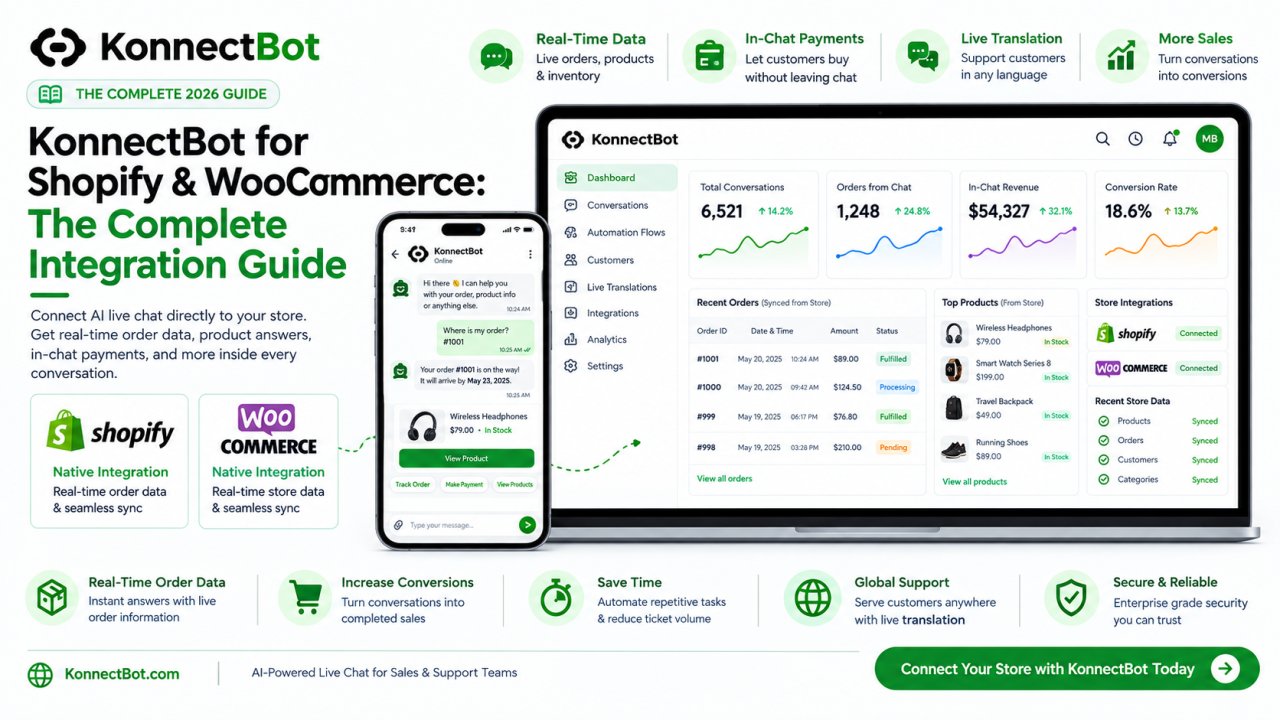
This is the gap KonnectBot is built to close. By connecting AI live chat directly to your Shopify or WooCommerce store, KonnectBot can answer real, account-specific questions, recommend real products, and even complete real purchases all inside a single conversation. This guide walks through how the integration works, what it unlocks, and how to set it up.
Why Direct Store Integration Matters
Generic chatbots guess. Connected chatbots know.
Without a real store connection, an AI chatbot can only answer from static text you've fed it general FAQs, policy pages, and product descriptions you've manually entered. It has no idea if a specific product is actually in stock, what a specific customer's order status is, or whether a promo code is still valid.
A chatbot connected directly to Shopify or WooCommerce pulls this information live, meaning answers are always accurate and up to date no manual updating required every time your inventory or pricing changes.
It turns support conversations into sales opportunities
When your AI live chat can see real product data, a support question ("is this back in stock?") can turn directly into a sales opportunity ("yes, here's the link, want me to add it to your order now?") without ever leaving the chat.
It reduces the "let me check and get back to you" problem
One of the biggest sources of customer frustration in support is being told to wait while an agent manually checks order details in a separate system. A direct integration eliminates that wait the AI already has the answer.
What KonnectBot Shopify & WooCommerce Integration Enables
Real-Time Order Status
Customers can ask "where's my order?" and get an instant, accurate answer pulled directly from their actual order record no manual lookup required from your support team.
Live Product and Inventory Answers
Questions like "do you have this in blue?" or "is this back in stock?" are answered using your store's real, current inventory not outdated information typed into a chatbot months ago.
In-Chat Purchases That Sync With Your Store
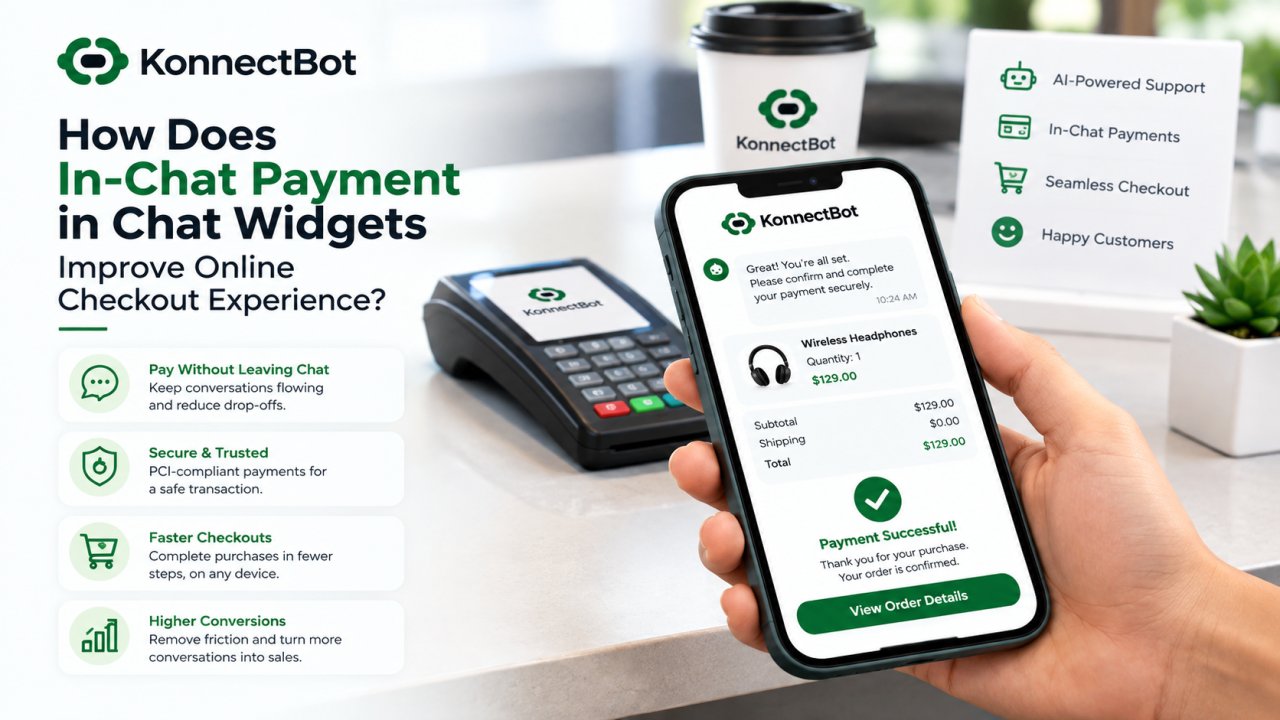
When a customer completes a purchase through in-chat payments, the order is recorded directly in your Shopify or WooCommerce store like any other sale no separate system to reconcile, no manual order entry.
Automation Flows Built Around Real Store Events
Your visual automation flow builder can trigger based on actual store activity cart abandonment, a completed purchase, a specific product being viewed rather than generic website behavior alone.
Multilingual, Store-Aware Support
Combined with live message translation, customers anywhere in the world can ask about their real order or a real product and get an accurate answer in their own language.
Setting Up KonnectBot With Shopify
-
Connect your Shopify store through KonnectBot integration settings, authorizing access to your product catalog and order data.
-
Sync your product catalog so the AI has accurate, current information on pricing, variants, and inventory to reference in conversations.
-
Set up your core automation flows order status lookups, shipping FAQs, and product recommendation flows using the visual flow builder.
-
Enable in-chat payments so customers can complete a purchase without leaving the conversation, with the transaction recorded directly in Shopify.
-
Turn on live translation if you sell to international customers, so support and sales conversations happen accurately in any language.
-
Test common customer scenarios yourself ask about an order, a product, and complete a test purchase before going live on your storefront.
Setting Up KonnectBot With WooCommerce
-
Connect your WooCommerce store through KonnectBot, granting access to your product and order data via your store's API connection.
-
Sync product and inventory data so the AI can reference accurate stock levels, prices, and variants in real time.
-
Build your automation flows for your highest-volume questions order tracking, return policy, and shipping timelines are typically the biggest wins.
-
Enable in-chat payments so WooCommerce orders can be completed directly within a chat conversation.
-
Add live translation for stores serving customers across multiple regions or languages.
-
Run a full test conversation end-to-end, confirming order lookups, product answers, and payment completion all sync correctly with your WooCommerce dashboard.
Common Use Cases for Shopify & WooCommerce Store Owners
Reducing "Where Is My Order" Tickets
This single question is one of the highest-volume tickets for most ecommerce stores. With a direct store connection, it's fully automated the AI checks the real order status and responds instantly, freeing your support team from repeating the same lookup dozens of times a day.
Recovering Abandoned Carts Automatically
Using real cart data from your store, an automation flow can reach out to customers who didn't complete checkout, offer an incentive, and let them finish the purchase directly in chat with the order syncing back to your store the moment it's completed.
Answering Pre-Purchase Questions With Real Data
"Is this available in my size?" or "will this ship in time for [event]?" are questions that require real, current store data to answer accurately. A connected AI live chat handles these automatically instead of routing every one to a human.
Supporting International Customers Without Extra Headcount
Combining the store integration with live translation means a single support team can accurately answer store-specific questions order status, product availability, shipping for customers anywhere in the world, in their own language.
What to Check Before Going Live
-
Confirm product data is syncing correctly, especially variants, pricing, and stock levels.
-
Test order lookups with real order numbers to make sure responses are accurate.
-
Review your automation flows for edge cases cancelled orders, backordered items, or multi-item orders with partial shipments.
-
Set clear handoff rules so anything the AI can't confidently resolve is routed to a human agent with the relevant order or product details attached.
-
Test in-chat payments end-to-end, confirming the order appears correctly in your Shopify or WooCommerce dashboard afterward.
Frequently Asked Questions
Does the integration require a developer to set up?
No. KonnectBot Shopify and WooCommerce connections are designed to be configured directly through the app's settings, without needing custom development work.
Will my product and inventory data stay up to date automatically?
Yes. Once connected, the integration syncs with your store's live data, so pricing, stock levels, and order details stay current without manual updates.
Can I use in-chat payments without connecting my store first?
For in-chat payments to sync correctly with your inventory and order records, connecting your Shopify or WooCommerce store first is strongly recommended it ensures every chat-based purchase appears as a normal order in your dashboard.
What happens to orders placed through chat do they show up in my store's admin panel?
Yes. Purchases completed through in-chat payments are recorded directly in your Shopify or WooCommerce admin, just like any other order.
Is this integration available for stores selling on both Shopify and WooCommerce?
KonnectBot supports both platforms, though each store connects individually so a business running separate Shopify and WooCommerce storefronts would set up each integration on its own.
Final Thoughts
An AI chatbot that can't see your actual store data is only solving half the problem. The real value comes when AI live chat, automation, translation, and payments are all connected directly to real, live product and order information turning every conversation into an accurate, sales-ready interaction instead of a guessing game.
KonnectBot connects natively with both Shopify and WooCommerce, bringing AI live chat, a visual automation flow builder, live message translation, and in-chat payments together with your real store data so every conversation on your site is accurate, helpful, and ready to convert.